


CloudLibrary
4.78.02K Reviews
App Specs
- Version
- 5.15.2.8
- Updated On
- License
- Free
- Downloads
- 1,000,000+
- Developer
- OCLC
- Categories
- Books & Reference
- Platform
- Android, iOS
Screenshots
 Analysis by AppCompare
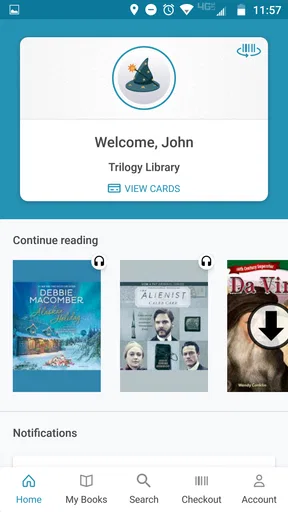
I start with one practical question when deciding whether CloudLibrary belongs on my phone: can I get a library book I actually want, then keep reading or listening without making the app the center of my day? That is the real promise here. It is a free Books & Reference app from OCLC, designed around borrowing digital titles rather than buying each one, and it makes the most sense when your local library is part of your reading routine.
Start with the library, not the download button
The first useful step is checking whether a library you use offers access through CloudLibrary. This is not quite the same starting point as opening a commercial ebook shop, where a catalog is ready to browse regardless of where you live. Library access is the bridge between the app and its books, so the size and character of the collection you can use depend on that connection. I would settle this question before building a long wish list or planning a reading streak.
That distinction also helps set expectations. The app is a digital borrowing route, not a promise that every popular title will be available on demand. A book may be in the catalog yet not immediately available to borrow, as library collections can involve limited copies and waiting. If I am choosing a book for tonight, I browse with an open mind; if I need a specific title for a class or book group, I check early and keep another option ready.
Turn browsing into a workable reading plan
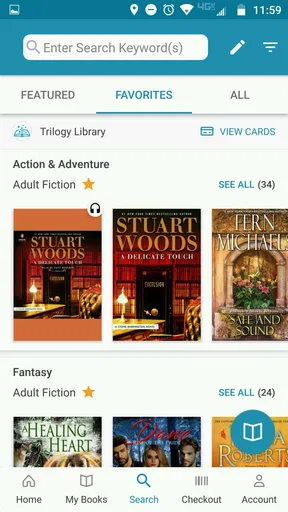
Once I am in, I use search for a known author or title and categories when I am in the mood to discover something. The interface is straightforward, and browsing by genre, author, or newer additions gives me more than one way to move through the catalog. A small habit makes this process better: when I find something interesting, I note it or place it on a list rather than assuming I will remember the title after exploring a few more shelves.
The app’s reading lists are especially useful as a personal staging area. I can separate books I want to try from current reads and favorites, which keeps browsing from turning into a pile of half-decisions. I would treat these lists as a planning aid, not as a substitute for checking availability. The practical workflow is to browse, save possibilities, then choose a title that is ready when I have time to read.
For an everyday example, imagine I have a quiet lunch break and want a short reading session, but later I will be on a train with unreliable reception. I can browse while connected, choose a book that suits the available time, and download it before leaving. If the title is available and the download completes, the change from connected browsing to offline reading is simple. The important detail is timing: I do not wait until I am underground or already in transit to prepare.
Choose the format that fits the moment
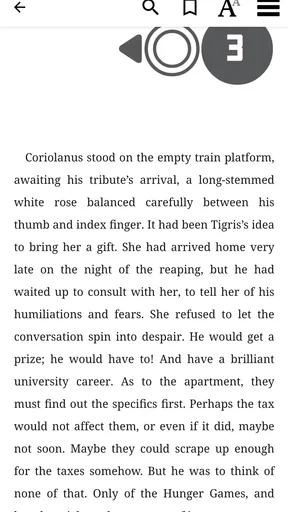
For text, I can adjust font size and background color, then pick up where I left off instead of hunting for my page. Those options matter most when reading conditions change: larger text can be more comfortable late at night, while a different background may suit a bright room better. I would spend a minute setting them before settling into a long session rather than repeatedly interrupting a chapter to tweak the display.
Worth Reading Before You Choose

EA SPORTS FC Mobile 26 Is a Bigger Football Game, but It Takes Time

Flipboard Shows What News Apps Must Do Beyond the Feed

Switching to Android Auto Means Rethinking Your Driving Routine

Google Calendar Makes a Crowded Week Easier to Manage

Ludo King Makes the Most of the Minutes Between Plans

Baby Panda World Brings Quick Play to Modern Phones, but Its Game Library Feels Busy
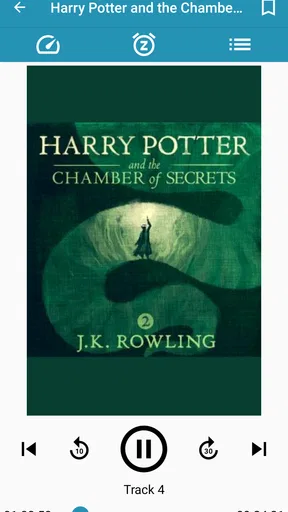
Audiobooks make the same borrowed collection useful when my eyes and hands are busy. Playback speed controls let me choose a pace that feels comfortable, although faster is not automatically better: a dense nonfiction chapter may be easier to follow at a more measured speed than a familiar novel. I see audio as a separate way to fit books into a day, not merely a backup for reading. A commute, a walk, or a household chore can become listening time, while text remains better when I want to pause, reread, or scan a passage.
The two formats also make different demands on preparation. A reader can often make progress in a brief pause, while an audiobook suits a stretch of time when stopping to look at the screen is inconvenient. I choose based on the situation instead of trying to force one format to cover everything. If I know I will have only a few minutes, I reach for text; if I have a longer hands-free stretch, audio is the more natural fit.
Make the handoff between app and real life
The strongest part of this workflow is how it can fit around ordinary routines: find a title at home, download it while connected, then read away from a network. That is a practical advantage over relying on a browser session or a constant connection, but it still asks me to prepare. I would open a downloaded book before a trip to make sure it is ready, rather than discovering at the station that I forgot to save it.
CloudLibrary also sits between library discovery and personal reading, rather than replacing every part of a library visit. If I want a physical book, an in-person conversation with library staff, or a title that is not in the digital collection I can access, the app cannot stand in for those options. If I want to buy a particular ebook and keep it as a purchase, a dedicated bookstore is a more direct route. The appeal here is borrowing and convenience, not ownership or a guarantee of immediate access.
Where the experience can feel less smooth
The main friction is that a digital library is still a library. Availability can shape what I read next, and browsing a broad catalog does not mean every title is ready at the moment I want it. I find the app most satisfying when I am flexible about my next read and willing to explore, rather than when I expect it to behave like an unlimited on-demand shop.
There is also a small but meaningful difference between an app that stores books and a reading habit that runs itself. I still need to choose a title, make sure it is available, and download it before going offline. Lists help me keep track of possibilities, but they do not remove those decisions. That is not a serious flaw; it is simply the trade-off of using a borrowing service instead of buying a book for instant, permanent access.
Who will get the most from it
I would recommend it first to readers who already have a library connection and want both ebooks and audiobooks in one place. It is also a good fit for someone who reads in short sessions, likes adjusting the display, or wants to carry a book without carrying a physical copy. Its average rating is 4.7 from around 54,000 ratings, and it has been installed over a million times, which suggests that many readers find this library-based approach useful.
I would be less enthusiastic if a friend told me they only read newly released bestsellers and want instant access every time, or if they dislike managing availability and downloads. In those cases, buying a title through a bookstore or borrowing a physical copy may suit them better. The app is rated for Everyone, costs nothing to install, and was released on October 4, 2011; its current version is 5.15.0.4 and it requires Android 10 or later. Those basics make it approachable, but the deciding factor is still whether the library collection available to you matches the way you like to read.
Discover a World of Books
First off, CloudLibrary boasts an impressive collection. Whether you're into thrillers, romance, sci-fi, or non-fiction, there's something for everyone. The app partners with local libraries to bring you a vast selection of eBooks and audiobooks. It's like having a library in your pocket, minus the overdue fines.
User-Friendly Interface
One thing that stood out to me immediately was the user-friendly interface. Navigating through the app is a breeze. Books are sorted into easily accessible categories, and the search function works like a charm. You can filter by genre, author, or even the newest additions. Plus, the app remembers your place, so you can jump back into a book right where you left off.
Seamless Reading Experience
Reading on CloudLibrary is a joy. The text is crisp, and you can adjust the font size and background color to suit your preferences. Whether you're reading in bed or on a sunny afternoon, you're covered. And if you're into audiobooks, the playback is smooth, with options to speed up or slow down the narration. It's perfect for those long commutes or lazy Sundays.
Offline Access
One of my favorite features has to be the offline access. You can download books for offline reading, which is a lifesaver when you're on the go. No Wi-Fi? No problem. Just download your next read while you're connected and enjoy it anywhere, anytime. It’s like having your own personal library, even in airplane mode.
Customizable Reading Lists
For those of us who like to keep things organized, CloudLibrary offers customizable reading lists. You can create lists for "Must Reads," "Favorites," or any other category you fancy. It helps to keep track of what you’ve read and what’s up next on your literary journey.
Community and Recommendations
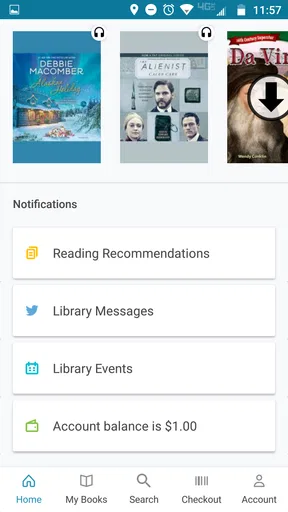
Another cool aspect is the community feature. You can see what others are reading and get recommendations based on your interests. It’s a great way to discover new authors or genres you might not have considered before. Sharing your thoughts and reviews with others adds a social element to your reading experience.
Final Thoughts
All in all, CloudLibrary is a fantastic app for anyone who loves books. It’s easy to use, packed with features, and offers an extensive library at your fingertips. Whether you're a casual reader or a book aficionado, this app is definitely worth checking out. So why not give it a go? You might just find your next favorite book!
Pros
- User-friendly interface for easy navigation.
- Wide selection of e-books and audiobooks.
- Offline reading mode available.
- Seamless syncing across devices.
- Customizable reading settings.
Cons
- Limited availability in some regions.
- Requires internet for initial download.
- Occasional app crashes reported.
- Not all titles are available.
- Limited customization for audiobooks.
FAQs for CloudLibrary
What is CloudLibrary and how does it work?
CloudLibrary is a versatile digital library app that allows users to borrow and read eBooks and audiobooks from participating libraries. Once you've signed up with your library card, you can browse the catalog, download titles, and read or listen to them offline. The app syncs across devices, making it convenient to pick up where you left off.
Is CloudLibrary free to use?
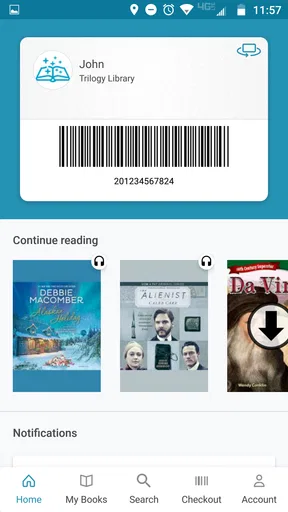
Yes, CloudLibrary is free to download and use. However, access to eBooks and audiobooks requires a valid library card from a participating library. There are no additional fees, but your library may have borrowing limits or restrictions based on their policies.
Which devices are compatible with CloudLibrary?
CloudLibrary is available on a wide range of devices, including Android and iOS smartphones and tablets, Windows PCs, and Mac computers. This ensures flexibility and accessibility, allowing you to read or listen to your borrowed titles on the device of your choice.
Can I use CloudLibrary without an internet connection?
Yes, CloudLibrary allows you to download eBooks and audiobooks for offline access. This is particularly useful for users who want to enjoy their library content while traveling or in areas with limited internet connectivity. Simply download the titles while online to access them later without an internet connection.
How do I return books on CloudLibrary?
Books on CloudLibrary are automatically returned at the end of the borrowing period. However, if you wish to return a book early to borrow more titles, you can do so manually through the app. This helps manage your digital borrowing limit and ensures others can access the titles sooner.


